

Visualizing Indonesian Stock Market Volatility with JavaScript
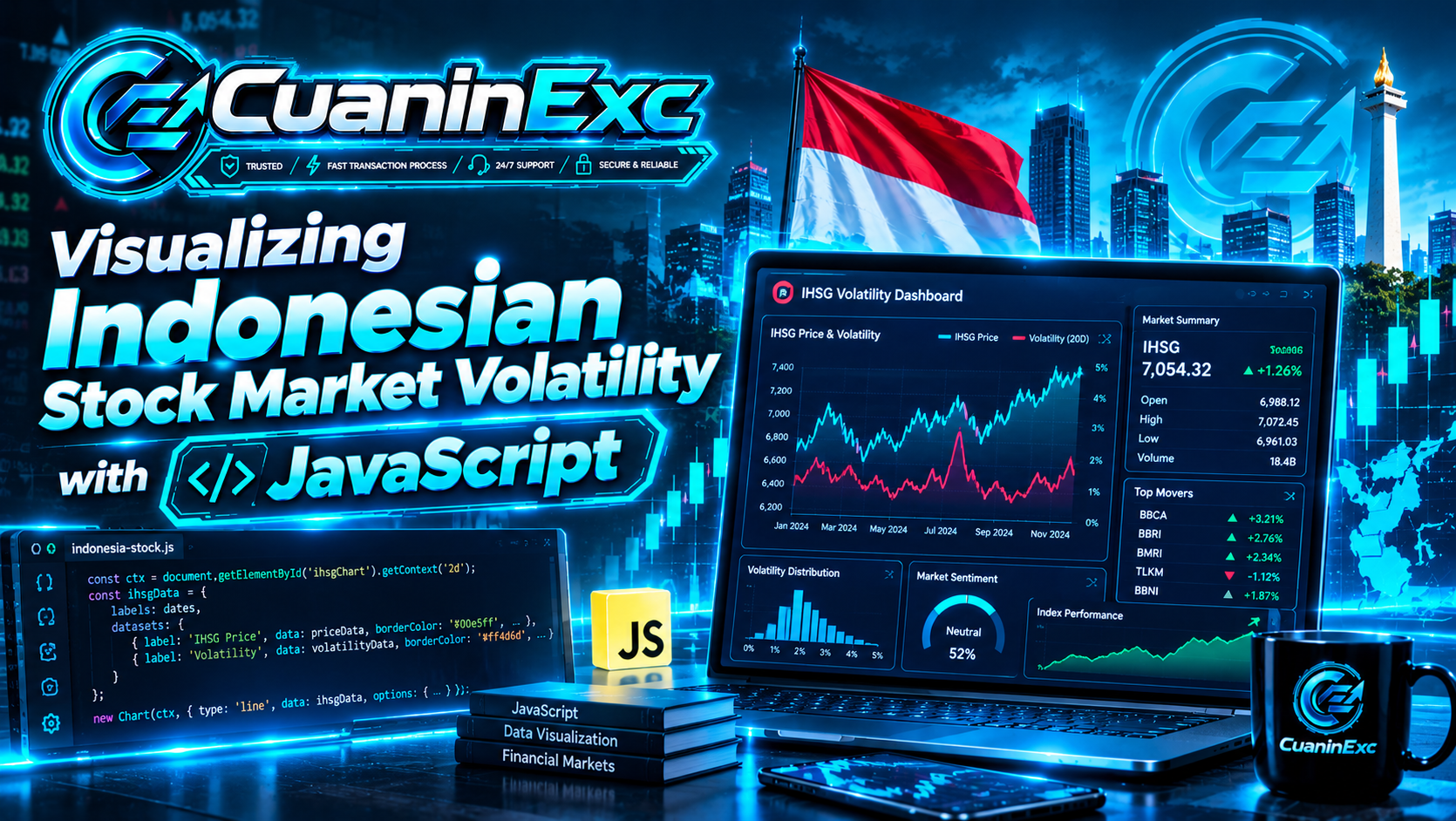
How to visualizing stocks market volatility using Javascript code?
Market prices tell only part of the story. A stock index can rise steadily, swing sharply from one session to the next, or remain almost unchanged for days. Visualizing these movements helps developers and market observers explore how prices behave over time. In Indonesia, the IDX Composite—widely known as IHSG—is a useful starting point because it represents the performance of shares listed on the Indonesia Stock Exchange.
In this tutorial, you will build a browser-based dashboard using JavaScript and Chart.js. It will plot index closing levels, calculate daily returns, estimate rolling historical volatility, and let readers import a CSV file containing their own closing-price data. The charts support hover interactions, and users can change the volatility window without reloading the page.
All prices included in the example are synthetic sample values for demonstrating the code, not actual IHSG observations. For real analysis, use data you are authorized to access and display, preserve its timestamps, and clearly label delayed or end-of-day observations. Volatility is a historical measure of variability, not a forecast or a guarantee of future market movement.
1. Understand IHSG Data and Define Volatility
The IDX Composite, or IHSG, is a broad benchmark for the Indonesian equity market. Its index level is useful for tracking market movement, but a line chart of index levels alone does not directly show how variable daily performance has been. A volatility series gives a second view by summarizing how widely daily returns have moved during a selected period.
First, calculate the daily simple return from consecutive closing levels. If the index closes at 7,200 today and 7,150 in the previous session, the daily return is the current close divided by the previous close, minus one. The result is a percentage change rather than a point change, making it easier to compare periods when the index is at different levels.
Historical volatility is commonly estimated as the standard deviation of returns over a rolling window. This tutorial annualizes daily standard deviation by multiplying it by the square root of 252, a conventional trading-day assumption used in many equity calculations. That assumption is a modeling convention, not a promise that every calendar year or market has exactly 252 sessions; document your convention and use it consistently.
2. Prepare the JavaScript Project and Sample Data
You can start with one HTML file, which makes the project easy to test locally without installing a framework. The page contains two charts: one for the index closing level and another for rolling annualized volatility. A CSV upload control allows you to load a different dataset later, while a dropdown changes the number of returns included in the rolling calculation.
The code uses Chart.js to handle drawing, axes, tooltips, legends, and responsive resizing. The library is loaded through a CDN in this demo, so an internet connection is required when the page opens. For a production application, pin a tested package version or bundle the dependency with your project, and review the library's licensing and security practices.
Save the following as index.html. The synthetic data makes the page work immediately, but the visible notice reminds readers that the values are not official historical market data.
<!doctype html>
<html lang="en">
<head>
  <meta charset="utf-8">
  <meta name="viewport" content="width=device-width, initial-scale=1">
  <title>IHSG Volatility Explorer</title>
  <script src="https://cdn.jsdelivr.net/npm/chart.js"></script>
  <style>
    body { margin: 0; padding: 24px; font-family: system-ui, sans-serif; background: #f4f7fb; color: #172033; }
    main { max-width: 1100px; margin: auto; }
    .panel { background: white; border-radius: 14px; padding: 20px; margin: 16px 0; box-shadow: 0 4px 16px #15223810; }
    .controls { display: flex; gap: 16px; flex-wrap: wrap; align-items: center; }
    label { display: flex; gap: 8px; flex-wrap: wrap; align-items: center; }
    select, input { max-width: 100%; padding: 8px; }
    .chart-wrap { height: 320px; position: relative; }
    .note { color: #5e6878; font-size: .95rem; }
    @media (max-width: 600px) { body { padding: 12px; } .panel { padding: 14px; } .chart-wrap { height: 260px; } }
  </style>
</head>
<body>
<main>
  <h1>IHSG Volatility Explorer</h1>
  <p class="note">Demo only: sample closing levels are synthetic, not live or official IHSG data.</p>
  <section class="panel controls" aria-label="Chart controls">
    <label for="window">Volatility window:
      <select id="window"><option value="5">5 sessions</option><option value="10">10 sessions</option><option value="20" selected>20 sessions</option></select>
    </label>
    <label for="csv-file">Import CSV (date,close): <input id="csv-file" type="file" accept=".csv,text/csv"></label>
  </section>
  <section class="panel"><h2>IDX Composite Closing Level</h2><div class="chart-wrap"><canvas id="price-chart" role="img" aria-label="Index closing levels over time"></canvas></div></section>
  <section class="panel"><h2>Rolling Annualized Volatility</h2><div class="chart-wrap"><canvas id="vol-chart" role="img" aria-label="Rolling annualized volatility over time"></canvas></div><p class="note">Volatility is calculated from daily returns and shown as a percentage.</p></section>
  <p id="status" class="note" role="status" aria-live="polite"></p>
</main>
<script>
  const sampleRows = [
    ["2026-01-05",7420],["2026-01-06",7442],["2026-01-07",7398],["2026-01-08",7465],["2026-01-09",7410],
    ["2026-01-12",7355],["2026-01-13",7390],["2026-01-14",7302],["2026-01-15",7260],["2026-01-16",7318],
    ["2026-01-19",7240],["2026-01-20",7178],["2026-01-21",7225],["2026-01-22",7150],["2026-01-23",7195],
    ["2026-01-26",7260],["2026-01-27",7218],["2026-01-28",7285],["2026-01-29",7350],["2026-01-30",7312],
    ["2026-02-02",7390],["2026-02-03",7435],["2026-02-04",7360],["2026-02-05",7295],["2026-02-06",7348],
    ["2026-02-09",7415],["2026-02-10",7382],["2026-02-11",7460],["2026-02-12",7502],["2026-02-13",7440]
  ].map(([date, close]) => ({ date, close }));

  let rows = sampleRows.slice();
  let priceChart;
  let volChart;

  function dailyReturns(data) {
    return data.map((row, i) => i === 0 ? null : row.close / data[i - 1].close - 1);
  }

  function sampleStandardDeviation(values) {
    if (values.length < 2) return null;
    const mean = values.reduce((sum, value) => sum + value, 0) / values.length;
    const squared = values.reduce((sum, value) => sum + (value - mean) ** 2, 0);
    return Math.sqrt(squared / (values.length - 1));
  }

  function rollingVolatility(data, windowSize) {
    const returns = dailyReturns(data);
    return data.map((row, i) => {
      if (i < windowSize) return null;
      const sample = returns.slice(i - windowSize + 1, i + 1);
      if (sample.some(value => value === null)) return null;
      const dailyVol = sampleStandardDeviation(sample);
      return dailyVol === null ? null : dailyVol * Math.sqrt(252) * 100;
    });
  }

  function renderCharts() {
    const windowSize = Number(document.querySelector("#window").value);
    const labels = rows.map(row => row.date);
    const volatility = rollingVolatility(rows, windowSize);
    if (priceChart) priceChart.destroy();
    if (volChart) volChart.destroy();

    const common = {
      responsive: true, maintainAspectRatio: false,
      interaction: { mode: "index", intersect: false },
      plugins: { legend: { display: true } },
      scales: { x: { ticks: { maxTicksLimit: 8 } } }
    };
    priceChart = new Chart(document.querySelector("#price-chart"), {
      type: "line",
      data: { labels, datasets: [{ label: "Synthetic IHSG close (index points)", data: rows.map(r => r.close), borderColor: "#1769aa", backgroundColor: "#1769aa18", fill: true, pointRadius: 2, tension: 0.2 }] },
      options: common
    });
    volChart = new Chart(document.querySelector("#vol-chart"), {
      type: "line",
      data: { labels, datasets: [{ label: `${windowSize}-session annualized volatility (%)`, data: volatility, borderColor: "#b45309", backgroundColor: "#b4530918", fill: true, spanGaps: false, pointRadius: 2, tension: 0.2 }] },
      options: { ...common, scales: { ...common.scales, y: { title: { display: true, text: "Annualized volatility (%)" } } } }
    });
  }

  document.querySelector("#window").addEventListener("change", renderCharts);
  document.querySelector("#csv-file").addEventListener("change", async event => {
    const file = event.target.files[0];
    if (!file) return;
    try {
      const text = await file.text();
      const lines = text.trim().split(/\r?\n/);
      const headers = lines.shift().split(",").map(v => v.trim().toLowerCase());
      const dateIndex = headers.indexOf("date");
      const closeIndex = headers.indexOf("close");
      if (dateIndex < 0 || closeIndex < 0) throw new Error("CSV must contain date and close columns.");
      const imported = lines.map(line => {
        const cells = line.split(",");
        return { date: (cells[dateIndex] || "").trim(), close: Number((cells[closeIndex] || "").trim()) };
      }).filter(row => row.date && Number.isFinite(row.close) && row.close > 0)
        .sort((a, b) => a.date.localeCompare(b.date));
      if (imported.length < 3) throw new Error("Please provide at least three valid rows.");
      rows = imported;
      document.querySelector("#status").textContent = `Loaded ${rows.length} rows from ${file.name}. Confirm dates and source.`;
      renderCharts();
    } catch (error) {
      document.querySelector("#status").textContent = error.message;
    }
  });
  renderCharts();
  document.querySelector("#status").textContent = "Showing illustrative sample data. Import an authorized CSV to analyze real observations.";
</script>
</body>
</html>
3. Calculate Daily Returns and Rolling Volatility
The first calculation converts closing levels into daily returns. In code, each closing price is divided by the previous session's close and reduced by one. The first observation has no return because there is no earlier closing price to compare against, so the script stores null for that position rather than inventing a value.
The next helper calculates sample standard deviation by finding the mean return, squaring each return's distance from that mean, summing the differences, dividing by the number of observations minus one, and taking the square root. This is a standard sample estimate. Some tools use population standard deviation or log returns instead, so two dashboards may show slightly different values if they use different conventions.
The rolling calculation applies that statistic to a selected window, then annualizes it with Math.sqrt(252) and converts the decimal result to a percentage. The dropdown lets users examine shorter or longer windows: a short window reacts more quickly to recent movements, while a longer window smooths some day-to-day noise. Neither setting is universally correct; it depends on the question being investigated.
4. Build Interactive Charts and Read the Results
The closing-level chart helps users see direction and scale, while the volatility chart emphasizes the changing size of returns. Keeping them on separate charts prevents different units—index points and percentages—from sharing the same vertical axis. Tooltips show values at a selected date, and the legend can be used to toggle a series when more datasets are added.
The chart configuration uses a shared interaction mode so hovering near a date displays aligned information, while responsive sizing helps the dashboard fit mobile and desktop screens. The rolling series starts with empty values until a full calculation window is available. This is expected behavior, not a missing-data bug: a 20-session estimate needs enough daily returns before it can be calculated.
When reading the charts, look for clusters of larger volatility rather than interpreting every spike as a market forecast. A steep change in the index can occur alongside high volatility, but volatility can also rise when prices move sharply in either direction. The displayed measure describes historical variability over its selected window; it does not identify the cause of a move or predict the next trading session.
5. Import Real IDX Data Safely
The CSV control expects a header row containing date and close, followed by one observation per line. For example, a file can use columns named date,close and rows with ISO-formatted dates such as 2026-02-02,7390. Replace the sample values with a dataset that you are permitted to download, process, and display. Preserve original dates and do not mix trading sessions with calendar days.
For reliable analysis, verify the source, timezone, index definition, and whether closing values are adjusted or preliminary. Make sure missing observations, duplicate dates, non-trading days, and invalid numbers are handled deliberately. The sample parser filters invalid prices and sorts rows by date, but a production data pipeline should also report rejected rows, detect duplicates, and confirm that the requested time range is complete.
If you later connect to an API, avoid exposing private credentials in browser code. A public web page can be inspected, so private keys should be stored on a backend service that requests authorized market data and returns only the necessary fields. Also check the provider's licensing, attribution, refresh, and redistribution conditions before publishing a dashboard. A source being accessible online does not automatically mean its data can be republished without restrictions.
6. Improve the Dashboard for Practical Market Analysis
A useful next step is to display summary metrics such as the latest close, most recent daily return, and latest calculated volatility. Label each metric with its unit and observation date, and make stale data obvious if refresh fails. Avoid red-green color as the only signal; include a plus or minus sign and a textual label so the page remains understandable for readers with color-vision differences.
You can extend the dashboard with a selectable index, comparison series for LQ45 or IDX30, date-range filters, and export options. If you compare indices, ensure each series is defined consistently and aligned by trading date. For larger datasets, calculate metrics in a dedicated data-processing module and update only the chart data that changes, rather than rebuilding the entire page after every user interaction.
Before publishing, test the page with different file sizes, malformed CSV rows, empty files, and narrow screen widths. Review the formulas with a small hand-checked example and make sure the rolling window is described accurately in the interface. These practical checks build trust: a clear dashboard that explains its assumptions is more valuable than a polished chart that silently hides data problems.
Conclusion
Visualizing Indonesian stock market volatility with JavaScript brings together financial concepts, data validation, and interactive front-end development. By calculating daily returns from closing levels and applying a rolling standard deviation, you can create a useful view of how IHSG movements vary across time. Chart.js handles much of the presentation work, leaving JavaScript to transform input data and manage user interaction.
The sample page is a starting point, not an official IDX data product. Use authorized observations, state the calculation conventions, and describe historical volatility as a backward-looking statistic rather than a prediction. With those safeguards in place, the same structure can evolve into a more comprehensive Indonesian market dashboard for education, research, or software prototyping.
Disclaimer: This article is for educational and software-development purposes only. The included index levels are synthetic and do not represent actual IHSG values. Historical volatility is not investment advice and does not guarantee future market behavior.
About the author
- CuaninExc - Cuanin Exchange Trusted Exchange and Money Changer, Cuanin Exchange also delivers the latest global financial news, covering markets, economics, and investments.
Comments
Join the discussionNo comments yet. Be the first to comment.